FITTING 2.0 FOR DIVAS
GEPUR launched an AI-powered clothing try-on feature on its website
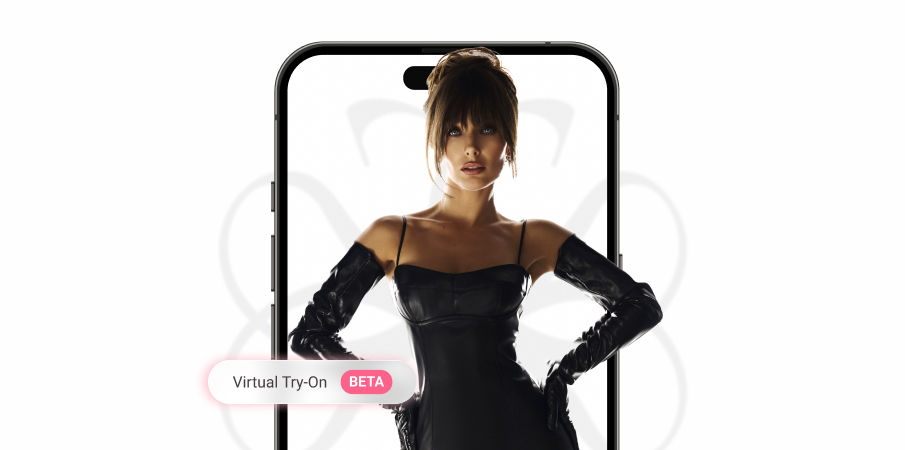
More than 20,000 users have already tried the first version of virtual try-on in our app. Our DIVAS shared their results on Threads, tried on dresses from new collections, asked their friends for advice, and even turned it into a family fashion experiment. We received hundreds of messages from you about falling in love with pieces after just one try-on. And that's exactly what inspired us to take the next step. Introducing virtual try-on, now available on the GEPUR website!
Your fitting room is always with you
Sound familiar? You find the perfect dress, but before buying it, you want to know how it will actually look on you. We created virtual try-on to help answer that question. And now we've made it even more accessible.
Choose your favorite pieces and try them on with the help of artificial intelligence. The technology generates an image that gives you an idea of what your future look might be like. It's especially convenient when you're shopping from your laptop or simply want to explore new collections on a bigger screen.
- How does virtual try-on work on the website?
- Step 1. Choose your favorite piece. Explore GEPUR collections and find styles that support virtual try-on. These items have a special label.
- Step 2. Upload your photo. Choose a picture that clearly shows your figure. A well-lit, full-length photo works best.
- Step 3. Start your try-on. AI will generate an image to help you visualize how your chosen piece might look on you.
- Step 4. Pick your favorites. Compare looks, experiment with different styles, and find that perfect piece you'll want to add to your wardrobe.
Our tips for the best try-on experience
For the most natural-looking results, we recommend choosing a photo where:
- You're standing straight and your figure is clearly visible.
- There's plenty of light and a simple, uncluttered background.
- No other people appear in the photo.
- Your arms are visible and your clothes aren't too loose or bulky.
- If you're trying on a top or bottom separately, it's best to take a photo wearing a two-piece outfit that clearly shows the relevant part of your body.
Try-On 2.0 – another step toward the future of fashion shopping
We believe that modern fashion services should adapt to our customers' lifestyles. And if you don't have time to visit a store today, or GEPUR doesn't have a store in your city yet, that doesn't mean you have to put off discovering a new collection.
Virtual try-on helps bridge the gap between seeing a beautiful piece on your screen and seeing yourself wearing it. Sometimes, that small step is all it takes to say, "Yes, this is my dress."
We're constantly improving the technology, so virtual try-on remains a tool for exploring how clothes might look on you. AI-generated results are approximate and may differ from the actual fit, color, or details of the garment.
Visit gepur.com, choose your favorite pieces, and discover new possibilities in fashion shopping with GEPUR.
Frequently Asked Questions:
- Do I need to log in to the website?
Yes, logging in is required. Virtual try-on has usage limits shared with the app, so you need to sign in to your account to use this feature. If you click "Try On" as a guest, the website will prompt you to log in. - How many try-ons are available?
The number of available try-ons depends on your Divas Club membership level. New try-on credits are added on the first day of each month, and unused credits from the previous month do not roll over. - Are the try-on limits shared with the app?
Yes, the website and app share a single try-on limit. You can use virtual try-on on either platform, and each attempt is deducted from your shared balance. - Where are my photos and results stored?
In your personal account. All virtual try-on results are saved in a shared history accessible from both the website and the app. - Can I view my try-on history?
Yes. All generated looks are automatically saved in the "Virtual Try-On" section of your personal account on both the website and the app. You can revisit them later, compare your favorites, or share your results. - Can I try on an item if my size is out of stock?
Yes. Even if your size is currently unavailable, you can still virtually try on any item that supports this feature to get an approximate idea of how it might look on you. Keep in mind that AI try-on provides a visual approximation and does not guarantee an exact fit. - What should I do if the generated image looks incorrect?
Virtual try-on uses artificial intelligence, so the result may sometimes differ from what you expect. Try uploading another well-lit photo that clearly shows your figure.